-
WiFi versus wired fibre checks in Malaysia
This guide pairs with the live meter on the TMSpeed.com home page. Run a test there after each step below so you store numbers that match what you changed in your home, not guesswork.
Five steps before you trust a WiFi-only score
- Shut down heavy uploads on phones, laptops, and smart TVs. Cloud photo sync, classroom apps, and doorbell cameras can hide in the background and steal upstream Mbps that the gauge needs.
- Note which band your laptop uses. Many flats in Kuala Lumpur and Penang see crowded 2.4 GHz airtime. If your adapter supports 5 GHz or 6 GHz, move to the quieter band, stand within three metres of the router, then run the browser test.
- Repeat the same test with a Cat5e or Cat6 cable between the router LAN port and a desktop PC. If the wired number jumps far above WiFi, your fibre plan is probably fine and the bottleneck sits inside the apartment.
- Swap ports or borrow another cable if the wired result still sags. A bent RJ45 clip or an old supermarket cable is a cheap fix compared with opening a carrier ticket.
- Log the time, device name, and Mbps in a small table. Malaysia residential links often show softer speeds after dinner when whole blocks stream video. A dated log shows patterns instead of one angry snapshot.
Why a short cable run still matters in a high-rise
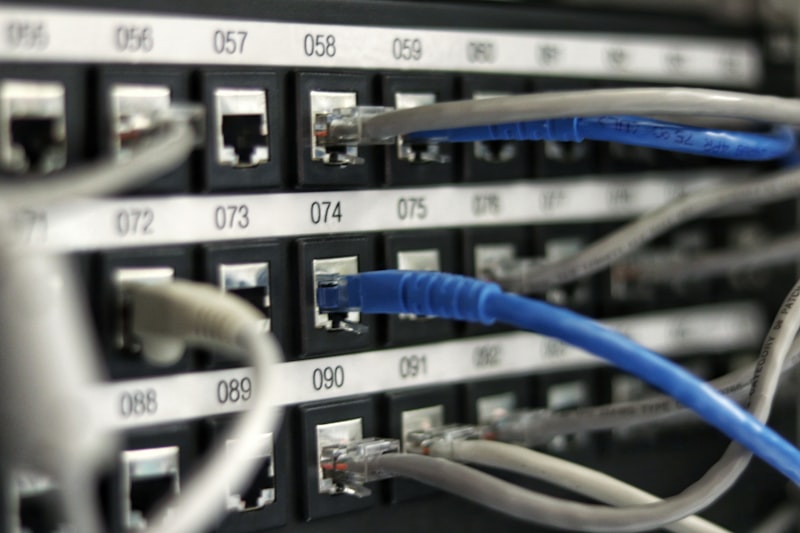
Fibre enters your unit on thin glass, yet the last hop to your desk is often copper or radio. In tall buildings the in-room cable from the wall socket to the router should stay short and kink-free. When that patch cord is damaged, even perfect street-level fibre cannot push full Mbps to your laptop.
WiFi mesh kits help large homes, but each hop adds delay. For gaming or stock trading from Johor to Perlis, a single wired hop to the main router usually beats a pretty mesh map on paper.
Related tools on this site
When you already know the wiring is clean, jump to the TM speed test page for a TM-focused label on the same gauge, or the UniFi speed test page if you want wording that matches TM UniFi marketing on your bill.
After you adjust antennas, channels, or cables, open the TMSpeed.com home page again, press Go on the embedded widget, and compare the new download, upload, ping, and jitter readout with your last log entry.